Prototyping 101: Getting From Idea to Physical Product
You've got an idea in your head. Now you need to make it physical.
This is prototyping. Turning your concept into something you can hold, test, and show to potential customers.
It's not as intimidating as it sounds. Let's break it down step by step.
What a Prototype Actually Is
A prototype is a working version of your product used to test and refine your idea.
It doesn't need to be perfect. It doesn't need to be pretty. It needs to prove your concept works.
Prototype Goals:
Test functionality
Identify problems
Refine design
Show to potential customers/manufacturers
Prove it can be made
Your prototype is not your final product. It's your learning tool.
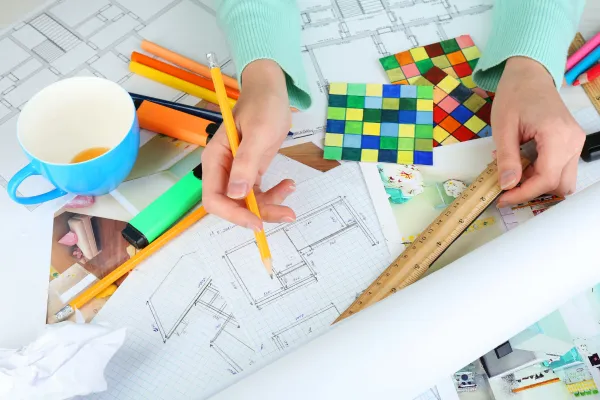
Start With Sketches
Before you build anything, sketch it out.
Simple Drawings Show:
Basic shape and size
Key features
How parts connect
Different views (front, side, top)
You're not creating art. You're communicating ideas.
Use paper, whiteboard, or simple digital tools. Get your concept out of your head and onto something visible.
Types of Prototypes
You'll probably make several versions.
Concept Prototype (Quick & Dirty): Just proves the basic idea works. Made from whatever materials are handy. Might fall apart. That's fine.
Functional Prototype: Actually works like the real product. Might not look good, but it functions correctly.
Looks-Like Prototype: Appears close to final product. Used for photos, demonstrations, customer feedback. May not be fully functional.
Works-Like Prototype: Functions like final product with proper materials. Used for thorough testing.
You don't need all types. Start simple, add sophistication as needed.
DIY Prototyping
Many products can be prototyped at home.
Home Prototyping Methods:
3D printing (services like Shapeways if you don't own a printer)
Hand crafting from materials (foam, wood, plastic)
Modifying existing products
Basic assembly of purchased parts
When DIY Works:
Simple products
You have basic building skills
You're comfortable with trial and error
Budget is very tight
When DIY Doesn't Work:
Complex mechanical parts
Electronics beyond your skill
Need professional appearance
Specialized materials required
Hiring Help for Prototyping
Sometimes you need professionals.
Prototype Services:
Industrial designers
3D modeling experts
Machine shops
Prototype fabrication services
Engineering firms
Costs Range From:
$500-2,000 for simple products
$2,000-10,000 for complex items
$10,000+ for highly technical prototypes
Get quotes from multiple sources. Explain exactly what you need.
3D Printing Changed Everything
3D printing made prototyping accessible and affordable.
Advantages:
Fast turnaround (hours or days)
Relatively inexpensive
Easy to iterate and modify
Good for complex shapes
Many material options
Limitations:
Size constraints
Material properties differ from final product
Surface finish may be rough
Not suitable for all products
For many products, 3D printing is the perfect prototyping solution.
Materials Matter (But Maybe Not Yet)
Your prototype doesn't need to use final production materials.
Early prototypes can use:
Foam or cardboard for shape testing
PLA/ABS plastic from 3D printers
Wood for structural testing
Off-the-shelf components
Later prototypes should get closer to real materials to test properly.
Testing Your Prototype
Build it. Now test it thoroughly.
Test For:
Does it work as intended?
Is it comfortable/easy to use?
How does it hold up to stress?
Are there any safety issues?
Can it be manufactured reasonably?
What breaks or wears out?
Use it yourself repeatedly. Give it to others to try. Watch how people actually interact with it.
Iteration Is Normal
Your first prototype will have problems. That's the point.
Typical Iteration Cycle: Version 1: Proves concept, reveals 10 problems Version 2: Fixes major problems, reveals 5 more issues Version 3: Addresses issues, shows manufacturing challenges Version 4: Nearly production-ready
This process is normal. Budget time and money for multiple versions.
Getting Feedback
Show your prototype to potential customers early.
Don't Ask: "Do you like it?" (People will be nice)
Do Ask:
What problem does this solve for you?
How would you use it?
What's confusing about it?
What would you change?
Would you actually buy this? At what price?
Watch how they interact with it. What do they struggle with? What do they immediately understand?
Real user feedback is gold.
Documentation As You Go
Document everything during prototyping.
Keep Track Of:
Measurements and specifications
Materials used
What worked and what didn't
Changes made between versions
Costs for each iteration
Feedback received
This documentation becomes invaluable when you move to manufacturing.
The Cost Question
Prototyping costs money. How much should you budget?
Simple Products: $500-2,000 Moderate Complexity: $2,000-5,000 Complex Products: $5,000-15,000+
Start as cheap as possible. Invest more as your prototype proves itself.
When Your Prototype Is"
Ready"
You'll never feel 100% ready. But your prototype should:
Function as intended
Be safe to use
Demonstrate your concept clearly
Be close enough to final version for manufacturing quotes
Have positive feedback from target users
At this point, you can start talking to manufacturers.
From Prototype to Production
Manufacturers need more than your prototype.
Provide:
Detailed drawings with measurements
Material specifications
Assembly instructions
Quality standards
Your prototype as reference
Many manufacturers can help refine for production. But give them a solid starting point.
Common Prototyping Mistakes
Mistake #1: Overbuilt First Prototype Don't spend months perfecting version 1. Build it quick, test it, learn, iterate.
Mistake #2: Not Testing Enough Don't assume it works. Test thoroughly. Break it if you can. Find the problems now.
Mistake #3: Skipping Documentation "I'll remember" doesn't work. Write it down. Future you will thank you.
Mistake #4: Ignoring Manufacturing Designing something that can't be made affordably wastes time. Think about production from the start.
Mistake #5: Not Getting Feedback Testing it yourself isn't enough. Get it in others' hands.
Intellectual Property Considerations
Before showing your prototype widely:
Consider:
Provisional patent application
Non-disclosure agreements
Avoiding public disclosure before patent filing
Documenting your creation process
Consult a patent attorney if you think your idea is patentable.
Tools That Help
Useful Prototyping Tools:
CAD software (Fusion 360, OnShape - free options exist)
3D printing services (Shapeways, Sculpteo)
Maker spaces (local access to tools and equipment)
Arduino/Raspberry Pi (for electronics)
Hand tools (basics you probably have)
Start with what you have or can access cheaply.
The Minimum Viable Prototype
Don't build every feature into version 1.
MVP Prototype:
Core function only
Simplest form that proves concept
Minimal materials/cost
Fast to build
Test the core idea first. Add features only after proving basics work.
Working With Designers
If you hire an industrial designer:
They Should Provide:
Multiple concept iterations
CAD files
Rendering of final design
Manufacturing considerations
Cost estimates
Get clear on deliverables and timeline before starting.
Safety Testing
Some products need formal safety testing.
Consider Testing If Your Product:
Has electrical components
Could cause injury if it fails
Is for children
Goes near food or mouth
Has certification requirements
Budget for this if applicable. Don't skip safety.
The Bottom Line
Prototyping is how you turn ideas into reality.
Start simple. Test thoroughly. Iterate based on feedback. Document everything.
Your first prototype will be rough. That's fine. Each version teaches you something.
The goal is learning, not perfection.
Build it. Break it. Fix it. Repeat until it works.
Then you're ready for manufacturing.
Build the simplest version first—then refine it through testing and feedback.


